

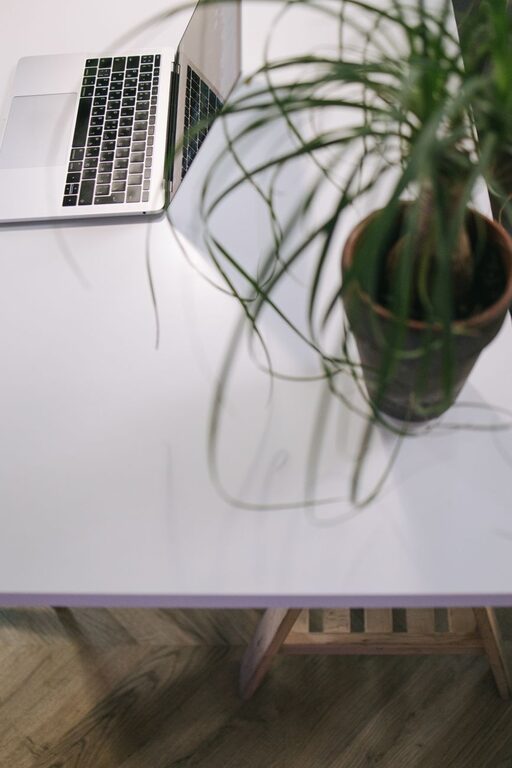
Creating a relaxing home workspace is key to maintaining productivity and comfort throughout the day. Whether you work remotely full-time or enjoy occasional work-from-home days, having a dedicated, soothing area can make a huge difference in your focus and overall well-being. Here are some practical tips to help you design a workspace that promotes relaxation and maximizes your efficiency.
1. Choose the Right Location
Your workspace location sets the foundation for your comfort.
– Natural Light Matters: Try to position your desk near a window. Natural light boosts mood and reduces eye strain.
– Quiet Area: Pick a spot away from household noise, such as a separate room or a corner that gets less foot traffic.
– Dedicated Space: Even a small nook reserved only for work helps your brain shift into “work mode.”
2. Invest in Ergonomic Furniture
Comfort is essential to avoid fatigue and maintain productivity.
– Ergonomic Chair: Choose a chair that supports your back well. Adjustable height and lumbar support are ideal features.
– Proper Desk Height: Your desk should allow your arms to rest comfortably at a 90-degree angle when typing.
– Footrests and Accessories: Consider accessories like footrests or wrist pads to enhance your posture and reduce strain.
3. Keep Your Workspace Organized
A clutter-free space leads to a clearer mind.
– Minimal Essentials: Keep only the items you use daily on your desk.
– Storage Solutions: Use shelves, filing cabinets, or drawer organizers to store documents and supplies neatly.
– Cable Management: Tidy cables with clips or cable sleeves to avoid distractions.
4. Add Soothing Elements
Incorporate elements that create a calm atmosphere.
– Plants: Indoor plants not only purify the air but also add a touch of nature and calmness.
– Soft Lighting: Use desk lamps or smart bulbs with warm tones instead of harsh overhead lights.
– Personal Touches: Include photos, artwork, or inspirational quotes that motivate you without cluttering the space.
5. Manage Noise Effectively
Reducing disruptive sounds helps maintain focus.
– Noise-Cancelling Headphones: These are great for blocking external noise and can help boost concentration.
– White Noise Machines or Apps: Soft background sounds like rain or gentle music can mask distracting noises.
– Soundproofing: Adding rugs, curtains, or wall panels can help absorb sound in your workspace.
6. Maintain a Comfortable Temperature
Temperature plays a big role in comfort and productivity.
– Room Temperature: Aim for a comfortable temperature, usually between 20-22°C (68-72°F).
– Good Ventilation: Fresh air circulation helps keep you alert and refreshed.
– Fans or Heaters: Use portable fans or heaters to adjust your immediate surroundings if central heating is not adjustable.
7. Establish a Routine and Breaks
A good space supports your work habits and rest.
– Schedule Regular Breaks: Short breaks every hour can reduce stress and eye strain.
– Stretching and Movement: Use breaks to do light stretches or a quick walk to increase blood flow.
– End-of-Day Ritual: Clear your workspace at the end of each day to signal completion and prepare for tomorrow.
Conclusion
Designing a relaxing home workspace is about balancing comfort and functionality. Small changes, from adding plants to investing in ergonomic furniture, can make a big difference in how you feel and perform throughout your workday. Creating a calm and inviting area will not only boost your productivity but also contribute positively to your overall well-being.
Try integrating these tips into your home office setup and observe how a peaceful environment can enhance both your comfort and work output.